
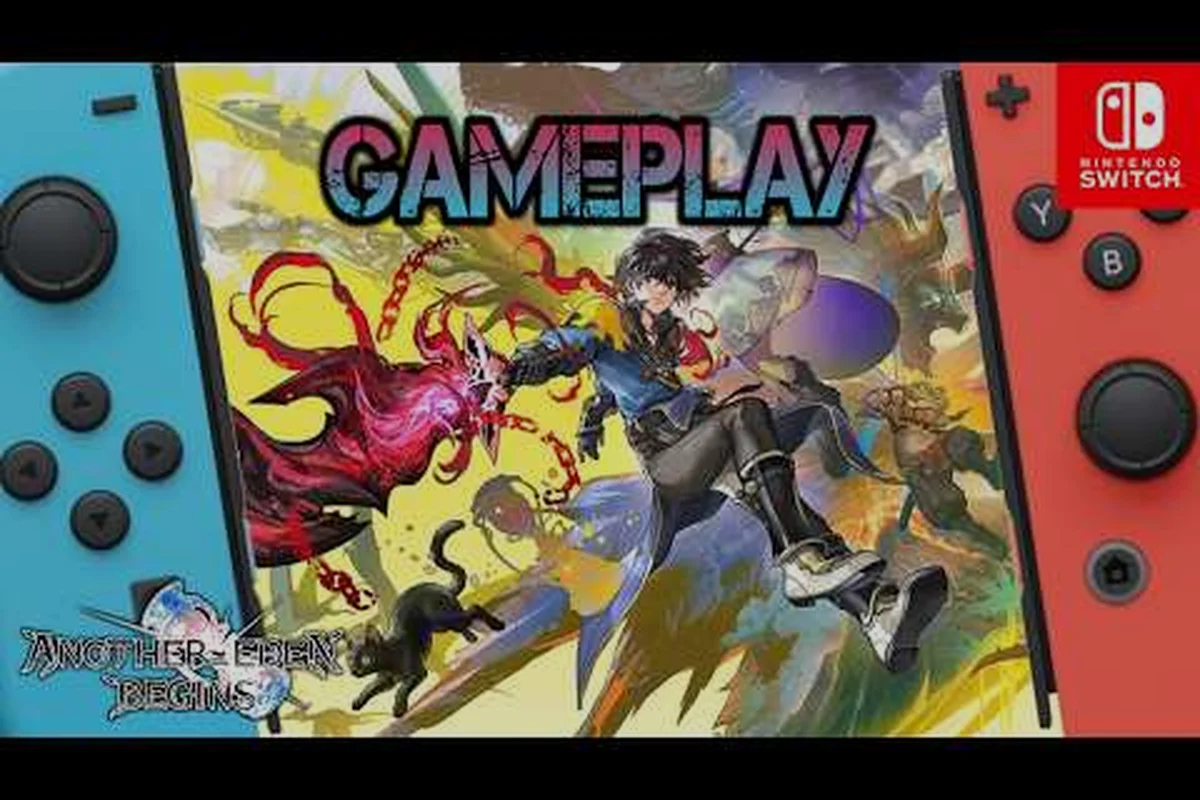
The Another Eden Begins Steam version guide answers the question every PC player has on launch week: where to grab a legitimate copy, what your rig actually needs, and how to keep Masato Kato's time-travel RPG running smoothly from the opening village to the late-game Another Force chains. The premium remake landed on Steam for Windows in mid-September 2026, and players weighing PC against the Switch 2 Edition want a clear-eyed breakdown before spending $39.99. This guide covers the Steam release itself, the PC system requirements, controller and language settings, demo-to-full save transfers, and a side-by-side price comparison so you can pick the platform that fits your setup and budget.
Steam Release Overview and Pricing
Steam is the home base for PC players who prefer keyboard and mouse or a high-resolution ultrawide display. The Steam store page lists the title at $39.99, which mirrors the standard launch price for a premium single-player JRPG remake. The release dropped on September 16/17, 2026, depending on regional time zones, and the listing is published directly under WRIGHT FLYER STUDIOS rather than a third-party distributor. The page also confirms that the PC build includes the same story content, voice acting options, and crafting additions that shipped on consoles earlier in the year.
PC players get a few platform-specific advantages. Steam Cloud is enabled by default, so your save file syncs across machines if you bounce between a desktop and a laptop. The Steam version also supports Steam Input, which means the game can recognize DualSense, DualShock 4, Xbox, and Switch Pro controllers without a third-party mapper. If you already own the original Another Eden mobile account, the Steam release does not automatically link to that account — the PC release is treated as a separate purchase tied to your Steam library.
Pricing and Edition Comparison
A clean price comparison helps you decide where to spend. The following table pulls the listed launch prices from official store pages, including the Steam Standard edition for PC, Nintendo eShop downloads, the Switch 2 Enhanced Edition, and the Game Key Card retail SKU, so you can see what each platform charges for the same core experience and weigh the trade-offs between portability, resolution, and ownership format.
| Platform | Edition | Listed Price | Resolution / FPS | File Size | Notes |
|---|---|---|---|---|---|
| Steam (PC) | Standard | $39.99 | Up to 4K, uncapped | ~12 GB (reported) | Steam Cloud, Steam Input |
| Nintendo eShop (Switch) | Standard | $39.99 | 1080p docked, 30 FPS | ~9 GB | Portable play |
| Nintendo Switch 2 Edition | Enhanced | $39.99 (standalone) / upgrade path available | Up to 4K, 60 FPS | 11.1 GB | TV, tabletop, handheld modes |
| Retail (Switch 2) | Game Key Card | $39.99 | Matches Switch 2 Edition | 11.1 GB | Physical card, no download required |
The Switch 2 game key card option is worth flagging for collectors. Unlike a traditional cartridge, a Game Key Card contains a download token rather than the full game data, but the experience is identical once the download completes. Pricing matches the digital Switch 2 Edition, so your decision comes down to whether you want a physical item on the shelf or a smaller eShop footprint.
System Requirements and PC Performance
The Steam page lists the official PC specs, and the actual performance on mid-range hardware is solid because the remake is built on a lean Unreal pipeline. The minimum spec targets a 1080p, 30 FPS experience, while the recommended spec pushes the game toward 60 FPS at 1080p with higher-quality shadows. The PC release supports uncapped framerates for players who want to push past 60 on a high-refresh display, which is a real plus for the cinematic command-battle sequences.
If you are running a laptop with integrated graphics, the minimum spec is your safety net. The recommended spec assumes a dedicated GPU, which is where the visual upgrades — denser crowds in Aldo-era villages, more particle effects during Another Force bursts — actually show up. Players on Steam Deck report that the game runs well on the medium preset with a 40-watt TDP limit, which makes the Steam Deck a legitimate portable option alongside the Switch 2 build.
Official PC Specs at a Glance
| Spec Tier | OS | CPU | RAM | GPU | Storage |
|---|---|---|---|---|---|
| Minimum | Windows 10 64-bit | Intel i5-8400 / AMD Ryzen 5 2600 | 8 GB | GTX 1060 6GB / RX 580 8GB | SSD, 12 GB free |
| Recommended | Windows 10/11 64-bit | Intel i7-10700 / AMD Ryzen 5 5600X | 16 GB | RTX 3060 / RX 6700 XT | SSD, 12 GB free |
| Steam Deck Verified | SteamOS 3.x | Zen 2 APU | 16 GB | RDNA 2 integrated | SSD, 12 GB free |
A few practical tips keep the experience smooth. Set the game to run from an SSD rather than a mechanical drive — load times on HDD can stretch past 30 seconds during late-game dungeon transitions. Cap the framerate to your monitor's refresh rate using the in-game VSync option or your GPU control panel to avoid screen tearing during fast command chains. If you notice stutter after long play sessions, clearing the shader cache in %appdata%/AnotherEden/Saved/Config often fixes the issue without a full reinstall.
Where to Buy and How to Avoid Region Locks
The Steam version is the cleanest path for most PC players because regional pricing is handled automatically and refunds follow Valve's standard 14-day / under-2-hour policy. You can also grab the Steam key from authorized resellers, but watch for two common pitfalls. First, gray-market key sites often sell codes purchased in cheaper regions, which can trigger Steam's region-lock enforcement and lock the game to that region's language. Second, third-party resellers rarely include the early-purchase bonus serial code, so you may miss out on the launch-week cosmetics and item packs.
For console players, the same rules apply but with different store policies. The Nintendo eShop charges the price listed in your account region, and the Switch 2 Edition is sold both as a standalone title and as an upgrade path for owners of the original Switch release. If you prefer a physical copy, the Switch 2 Game Key Card ships at the same price as the digital edition and is available at major retailers — just confirm the SKU matches your region before checkout. Save data and progress are tied to the platform account, so buying the Switch 2 game key card does not transfer saves to a Steam or mobile install.
Buyer's Checklist
Before you check out, run through this short list to make sure you get the right SKU and the right bonuses: confirm whether you want the Steam build, the Switch eShop download, or the physical Switch 2 Game Key Card, since each SKU is listed on a separate storefront page with its own price tier. Double-check that your account region matches the key's region lock, and watch for the launch-window serial code that unlocks the early-purchase bonus items through the official portal.
-
Confirm the platform — Steam, Switch, Switch 2 digital, or Switch 2 game key card each have separate store pages.
-
Check the region — pricing and language support vary by account region, and region-locked keys are non-refundable.
-
Look for early-purchase bonus — the official serial-code portal gives a redeemable bonus during the launch window.
-
Avoid gray-market resellers — unauthorized key sites risk region locks, revoked codes, and missing bonus items.
-
Save your receipt — Steam receipts and eShop confirmation emails are the fastest path to support if the key fails to activate.
The official serial-code portal lives on the Another Eden Begins English site, where you can register your copy and claim the launch bonus items. The portal accepts codes from both Steam and console versions, so you only need to redeem once per purchase.
Controller, Language, and Demo Save Transfer
Once the game is installed, the next question is which control scheme feels right. The Steam build ships with rebindable keyboard and mouse inputs, a full controller mapping screen, and presets for DualSense, Xbox, and Switch Pro pads. The default controller preset uses the right trigger for confirm and the left trigger for cancel, which matches the original mobile layout and helps long-time fans feel at home. Mouse hover acts as a soft-targeting cursor during exploration, while the keyboard numpad lets you trigger skills faster than any gamepad layout for high-skill command chains.
Language support is one area where the PC build catches up to the console edition. The Steam release includes both English and Japanese voice tracks, and the text layer ships with English, Japanese, Simplified Chinese, Traditional Chinese, and Korean. Community reports on the Steam Community hub flagged a handful of Simplified Chinese translation typos in the opening chapter, and the developer has confirmed a localization patch is in the certification queue. If you play in Chinese, you may want to delay a few days for the patch or switch to English temporarily.
The demo-to-full save transfer is a major quality-of-life feature. Players who tried the free Steam demo can carry their progress into the full release by linking the demo save to their Steam account before installing the paid version. The transfer moves characters, levels, equipment, and quest progress, but does not carry over any in-app purchases made in the demo. A full breakdown of the transfer steps lives in the demo save data walkthrough, which covers the menu prompts and the edge cases that can break the transfer.
Settings to Tune on Day One
| Setting | Recommended Value | Why It Matters |
|---|---|---|
| Display Mode | Fullscreen | Reduces alt-tab stutter |
| VSync | On (cap to refresh rate) | Prevents screen tearing in command chains |
| Frame Rate Cap | 60 FPS (or monitor refresh) | Keeps thermals stable on mid-range GPUs |
| Text Language | English or Japanese | Most accurate localization as of launch |
| Voice Language | Japanese | Yasunori Mitsuda's score pairs best with the original cast |
| Controller Preset | DualSense / Xbox | Mirrors mobile defaults for muscle memory |
| Camera Shake | Reduced | Eases motion fatigue in long Another Force chains |
If you plan to use the game for accessibility reasons, the PC build includes a high-contrast mode, a text size slider, and a color-blind-friendly skill icon set. None of these are locked behind a DLC or a platform-exclusive upgrade, so Steam players get the full accessibility suite on day one.
Console vs PC: Which Platform Fits You Best
The choice between the Steam version and the Switch 2 Edition comes down to how you actually play. If you own a gaming PC or a Steam Deck, the Steam version is the most flexible option: you get higher resolutions on a 4K monitor, uncapped framerates, Steam Cloud, and the full mod-friendly file path for community screenshots. If your primary screen is a TV and you want the couch-and-controller experience, the Switch 2 Edition is the better fit because the 60 FPS mode in handheld and tabletop feels great, and the cart-style game key card keeps your library clutter-free.
Price is roughly equal across platforms at launch, so the decision is really about your hardware and your library ecosystem. Players who already use Steam Remote Play can stream the PC build to a tablet or a living-room device, which gives you couch play without buying a Switch 2. Players who travel often and own a Switch 2 can pop the cartridge in handheld and play on the go, which the Steam version cannot match on a phone or a tablet without a streaming setup.
Platform Fit at a Glance
| Player Type | Best Platform | Key Reason |
|---|---|---|
| 4K monitor / desktop gamer | Steam | Native 4K, uncapped FPS, ultrawide support |
| Steam Deck owner | Steam | Verified status, 40W TDP runs well |
| Couch player with TV | Switch 2 Edition | 60 FPS docked, game key card collectible |
| Frequent traveler | Switch 2 Edition | Handheld mode, sleep-resume support |
| Cloud-save loyalist | Steam | Steam Cloud syncs across machines |
| Physical collector | Switch 2 game key card | Boxed SKU, shelf presence |
If you are still on the original Switch, the original Switch release at 1080p / 30 FPS is serviceable, and an upgrade path to the Switch 2 Edition exists for owners of the base game. The upgrade pricing is significantly cheaper than buying the Switch 2 Edition outright, which makes the original Switch version a good stepping stone if you know you will eventually move to Switch 2 hardware. A deeper breakdown of edition tiers and the upgrade math is in the season pass and edition comparison guide.
Buying Tips and Launch-Week Strategy
A few small moves can save you money or score bonus content. First, check the official store page for a launch-week discount — Steam seasonal sales sometimes go live within a week of a major release, and the developer has run $-off promos on past Another Eden titles. Second, register your purchase on the official English site to claim the early-purchase bonus serial code, which unlocks a set of consumable items, a cosmetic title, and a recruit ticket for the gacha layer. The bonus is time-limited, so redeem within the window printed on the store page.
Third, decide whether you want the standard edition or one of the bundled options. The standard edition includes the full base game and the previously released console content; bundles add the season pass, which unlocks future story chapters and DLC character packs. If you plan to play through the main story once and then move on, the standard edition is enough. If you want the DLC characters and the bonus story episodes, the season pass bundle saves roughly 20% compared to buying each piece separately. Players who already own the original mobile Another Eden should note that mobile progress does not transfer to any of the Steam, Switch, or Switch 2 editions — they are separate ecosystems.
Finally, if you want to test the game before committing $39.99, the free Steam demo covers the first three chapters and lets you carry progress into the full release. The demo is the cleanest way to verify performance on your hardware, check the controller layout, and confirm the language settings before you spend. Once the demo boots cleanly and your save transfer succeeds, you can buy the full game with confidence that your setup is ready for the 40-plus-hour main story and the New Game+ runs that follow.
Frequently Asked Questions
Is the Steam version the same price as the Switch 2 Edition?
Yes, the Steam Edition and Switch 2 Edition both list at $39.99 at launch, so price won't decide it for you. The real factors are Steam Cloud saves versus Switch 2 profile saves, controller support, and whether you prefer docked 4K or handheld play.
Can I transfer my save from the Steam demo to the full game?
Yes, you can transfer your demo save into the full Steam release of Another Eden Begins. After installing the $39.99 game, simply launch it on the same PC account and pick "Continue from Demo Data" when prompted, which carries over your party progress, items, and story flags earned in the demo.
Can I transfer my save from the Steam demo to the full game?
Yes. The demo save carries over characters, levels, equipment, and quest progress once you link the demo install to your Steam account. The full game then resumes on the same Steam Cloud profile, so the same Aldo, Suzette, and any pulled 5★ class characters you obtained during the demo, including story progress through Chapter 1 and any unlocked Episode "The Cat Beyond" content, all carry over without re-grinding. Important edge cases to watch for: the Steam account used for the demo and the full game must be identical (Steam Family Sharing transfers do not carry demo saves), switching Steam regions or re-registering a fresh Steam ID resets the link, and the transfer only works once per demo install, so do not delete the demo's appdata folder before the full launch.
Does the Switch 2 game key card include the full game on the card?
No. A game key card contains a download token rather than the full game data. You still need to download the 11.1 GB game file once after inserting the card, but the experience is identical to the digital edition afterward.
What are the minimum PC specs for the Steam version?
The minimum spec is an Intel i5-8400 or AMD Ryzen 5 2600, 8 GB of RAM, and a GTX 1060 or RX 580, with Windows 10 64-bit and an SSD. That targets 1080p at 30 FPS; the recommended spec doubles RAM and adds an RTX 3060-class GPU for 60 FPS at 1080p.